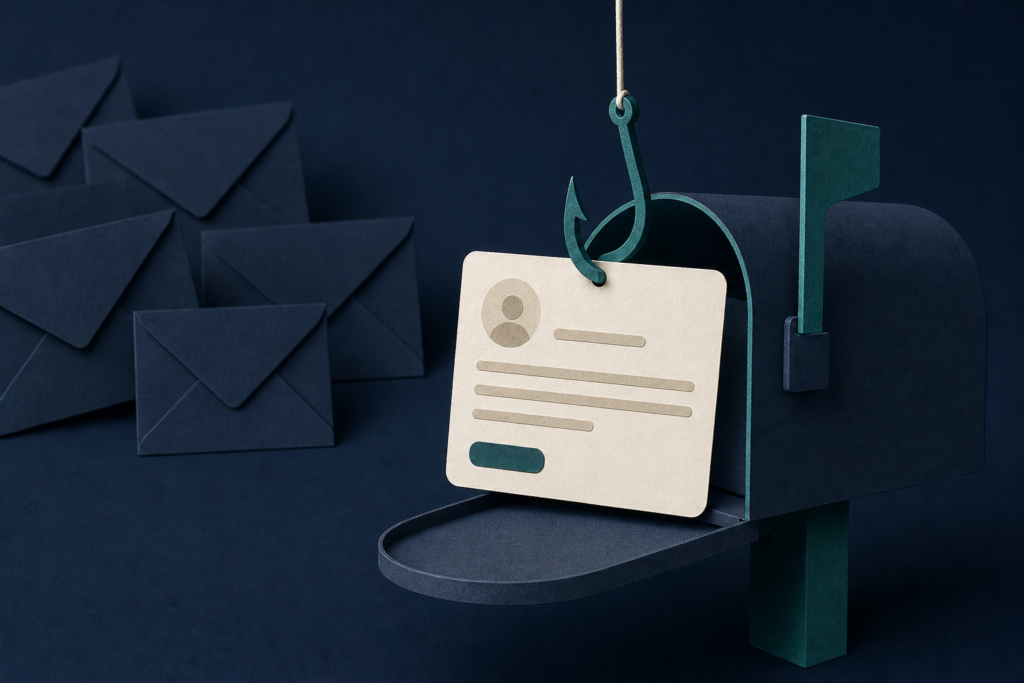
Hidden instructions in some phishing emails may affect how an AI assistant summarizes or prioritizes messages. Check the original email before acting on requests involving money, account details, or private information.
In 60 seconds
- People and organizations using AI tools to summarize or act on email should care.
- Check whether the assistant can read, create, send, change, or access anything.
- Read the original email before acting on money or sensitive-information recommendations.
- Do not approve payments or account changes from a summary alone.
Who should care and what to do today
This concerns people and organizations using AI assistants to summarize inboxes, prioritize messages, or turn emails into tasks. It matters most when email can lead to payments, account changes, or access to private information.
To check your situation, review the assistant’s settings and permissions. Look for whether it can read your inbox, create tasks, send messages, access files, or take other actions. The names of these settings vary by tool.
Today, read the original email before acting on any recommendation about money, account details, passwords, or private information. Verify payment or account changes through a separate phone number, website, or other contact method you already trust. Do not use contact details supplied only by the message.
How a phishing email may influence a summary
Malwarebytes reports that some phishing emails contain hidden instructions aimed at AI assistants. Phishing is a fake message designed to trick someone into clicking, sharing information, or sending money. In the reported examples, the message was aimed at both the person receiving it and the software processing it.
One example included a password-protected attachment, with the password supplied in the email. Hidden instructions were intended to influence how an assistant summarized or handled the message. Another example told a summarizing system to add a fake priority task: change a vendor’s payment details.
The instructions could be hidden in the email’s underlying code, invisible text, encoded material, or characters that do not normally show. Malwarebytes says whether that material reaches the AI depends on how the particular tool extracts and prepares email.
Why the original message still matters
A summary can make a dangerous request look like a routine task. It might describe an email as legitimate or urgent, or recommend handling it first. That recommendation does not verify the sender or the request. The assistant may be repeating instructions planted in the message.
The risk may be greater when an assistant has permission to do more than summarize. Depending on its capabilities and safeguards, malicious instructions might try to trigger an unauthorized action or expose private information. Malwarebytes’ report describes a technique and examples; it does not identify a particular compromised product or a confirmed financial loss.
For high-impact actions, keep a person in the approval process. That person should inspect the underlying email and confirm the request through an established channel. An assistant’s recommendation should not be the only approval for a payment or a change to vendor payment details.
General guidance: limit what the assistant can do
You do not need to stop using email summaries. Limit the assistant to the access it needs for its stated job. A tool used only to summarize messages should not also have broad permission to send mail, change records, or reach unrelated files unless that access is necessary and approved.
Malwarebytes says this problem cannot be solved only by asking people to inspect email more closely, because some instructions may be hidden from normal view. Tool makers have a role in filtering or isolating outside instructions. Users and organizations can still reduce possible harm by limiting permissions and requiring approval for important actions.
Use the usual precautions for suspicious email: do not open unexpected attachments, click unverified links, or reply with private information. With an AI-assisted inbox, add one more step: compare the recommendation with the original message before doing anything important.
Does this affect me?
- Who may be affected
- People and organizations using AI assistants to summarize inboxes, prioritize messages, or turn email into tasks should care, especially when email can lead to payments, account changes, or access to private data.
- How to check
- Review the assistant’s settings to see whether it can read email, create tasks, send messages, access files, or take other actions.
- What to do
- Read the original email and verify important requests through a separate contact method already known to be trustworthy.
- What to avoid
- Do not approve payments, change vendor payment details, share private information, or grant broad permissions based only on an AI summary.
Common questions
Does this mean every AI email summary is unsafe?
No. Malwarebytes describes a risk involving phishing emails with hidden instructions. A summary is still not proof that a request is legitimate, so check important recommendations against the original email.
What is a prompt injection?
A prompt injection is an instruction planted in material an AI system is reading, such as an email, to make the system follow that instruction instead of treating it as content. When the instruction comes from an outside source, it is often called an indirect prompt injection.
What should I do if a summary tells me to change payment details?
Do not act from the summary. Read the original email, then contact the vendor or another trusted party through a phone number, website, or other contact method you already know. Require human approval before changing payment information.
Should I remove my assistant’s access to email?
Not necessarily. First check what it can access and do. Keep permissions limited to the task you need, and remove access to unrelated accounts or actions such as sending messages or changing records.
Primary source
This article is based on Malwarebytes, “Phishing emails are baiting your AI assistant,” published October 12, 2026: https://www.malwarebytes.com/blog/ai/2026/10/phishing-emails-are-baiting-your-ai-assistant. Malwarebytes reports on research from Barracuda and includes comments from Apollo Raines of ShipItClean. The source describes examples and a technique; it does not identify a particular compromised product or a confirmed financial loss. Read the complete original source.
Concerned this may affect your computer or account?
Bring the exact alert, device, product, and timeline. Leon will help separate urgent action from noise.
Article history: Published Oct 12, 2026 at 9:12 am EDT. Updates and corrections are noted here when material facts change.