
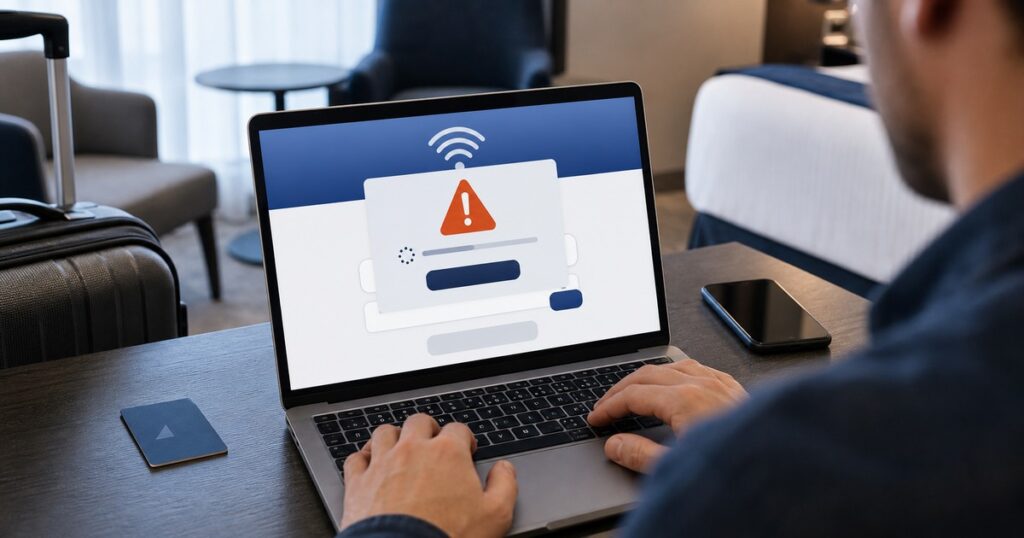
Hotel Wi-Fi is convenient, especially when traveling for work or trying to conserve mobile data. But the page that appears when you first connect should never pressure you to install a browser update, Windows fix, security certificate, driver, or troubleshooting tool.
Microsoft reported on July 31, 2026, that it is tracking an ongoing campaign involving some hospitality and guest Wi-Fi networks around the world. Microsoft calls the campaign CaptiveCrunch. Attackers have manipulated network traffic so that people connecting through certain captive portals—the sign-in or terms-and-conditions pages commonly shown by hotels, conference centers, and other shared venues—are redirected through attacker-controlled systems.
The goal is to convince selected users to run malware or surrender access to an online account.
Local context: There is currently no public evidence that a specific hotel or Wi-Fi network in Salem County is involved. This warning is not a reason to panic or stop traveling. It is a timely reminder that a familiar-looking Wi-Fi sign-in page is not automatically trustworthy.
What the fake prompts may look like
According to Microsoft, a malicious page may claim that your device needs an urgent update or verification before internet access can continue. The prompt may imitate:
- A Windows, browser, driver, or security update
- A connection repair or troubleshooting utility
- A certificate or other file that supposedly enables internet access
- A verification step that tells you to open Run, Command Prompt, PowerShell, or Terminal and paste a command
- An Android app installation outside the Google Play Store
- A Microsoft sign-in flow asking for a device code that you did not request
Some of these pages may look polished and convincing. A prompt can also lead to a real Microsoft sign-in page while still being part of a scam. If someone else supplies the device code, entering it may approve access to the attacker’s session rather than your own.
The Windows malware documented by Microsoft can steal passwords, browser sessions, Microsoft 365 access tokens, files, clipboard contents, keystrokes, and saved Wi-Fi credentials. Some variants may also enable audio or video surveillance. Microsoft has also seen indications of Android targeting, although the Windows activity is more fully documented.
The safest response is simple: do not install anything
A legitimate hotel Wi-Fi portal may ask you to accept terms, enter a room number, or provide basic registration information. It should not require you to install a system update or paste a command to prove that you are human.
If a guest Wi-Fi page asks you to download or run something:
- Stop and disconnect from that network. Do not keep clicking to see what happens.
- Use cellular data or your phone’s personal hotspot when practical. This avoids the venue’s Wi-Fi login system entirely.
- Install updates only through trusted settings. Use Windows Update, System Settings, the Apple App Store, Google Play, or the software publisher’s built-in update feature.
- Never paste commands because a webpage tells you to. Instructions involving PowerShell, Command Prompt, Terminal, Run,
rundll32, ormshtaare a serious warning sign. - Do not install an Android APK from a Wi-Fi sign-in page. Use the official app store unless you have a specific, independently verified reason not to.
- Do not enter a device code that someone else gave you. Approve Microsoft device-code sign-ins only when you personally started the process on a device you trust.
A VPN can help protect traffic on an untrusted network, but it cannot make a malicious download or fake verification instruction safe. The decision to install or run something still happens on your device.
Practical protection before your next trip
A few preparations can reduce both the likelihood and impact of an incident:
- Update your computer and phone at home before traveling.
- Enable automatic updates from trusted sources.
- Use multifactor authentication or passkeys for email, banking, Microsoft, Google, and other important accounts.
- Avoid reusing your business or email password on a hotel registration page.
- Keep important files backed up before traveling.
- Ask your employer which remote-access and travel-security procedures to follow.
- Treat airport, hotel, conference, café, and other guest networks as untrusted—even when the network name looks correct.
Small businesses should also consider whether Microsoft device-code authentication is needed in their environment. Where it is not required, an IT administrator may be able to restrict it and reduce this type of phishing risk.
What to do if you already downloaded or ran something
If a guest Wi-Fi page convinced you to download a file, install an app, paste a command, or enter an unexpected device code, assume the device or account may need attention.
- Disconnect the affected device from Wi-Fi and wired networks.
- Do not use that device for email, banking, shopping, or business systems until it has been checked.
- From a separate trusted device, change the passwords for important accounts, beginning with your primary email and Microsoft or Google account.
- Review recent sign-ins and active sessions, then sign out or revoke sessions you do not recognize.
- Contact your bank promptly if financial information may have been exposed.
- If it is a work device, notify the business or IT provider immediately.
- Do not reconnect a potentially affected computer to your home or business network until it has been assessed.
Avoid rushing into random “cleanup” tools found through a search result. Use the operating system’s trusted security tools or have the device evaluated by someone you trust.
What is known—and what is not
Microsoft says this activity has affected hospitality-related captive portal networks worldwide and appears particularly focused on corporate travelers. The company attributes the activity to Storm-2945, which it assesses as a sub-cluster of the Russia-linked actor commonly known as Midnight Blizzard.
However, the initial method used to compromise or manipulate the captive portal infrastructure is still under investigation. Microsoft’s report does not identify a Salem County location, and it does not mean that every hotel or shared network is dangerous.
The useful takeaway is narrower: a Wi-Fi login page should never be trusted as a source for software, commands, certificates, or unexpected account approvals.
Need help checking a device or account?
If something unusual happened after you joined hotel, conference, airport, or guest Wi-Fi, Leon’s Computer Shop can help you work through what occurred and decide on the next safe step. We provide privacy-conscious technology and cybersecurity help for Salem County homes, travelers, remote workers, and small businesses.
Primary source: Microsoft Security Blog: CaptiveCrunch threat report, July 31, 2026.