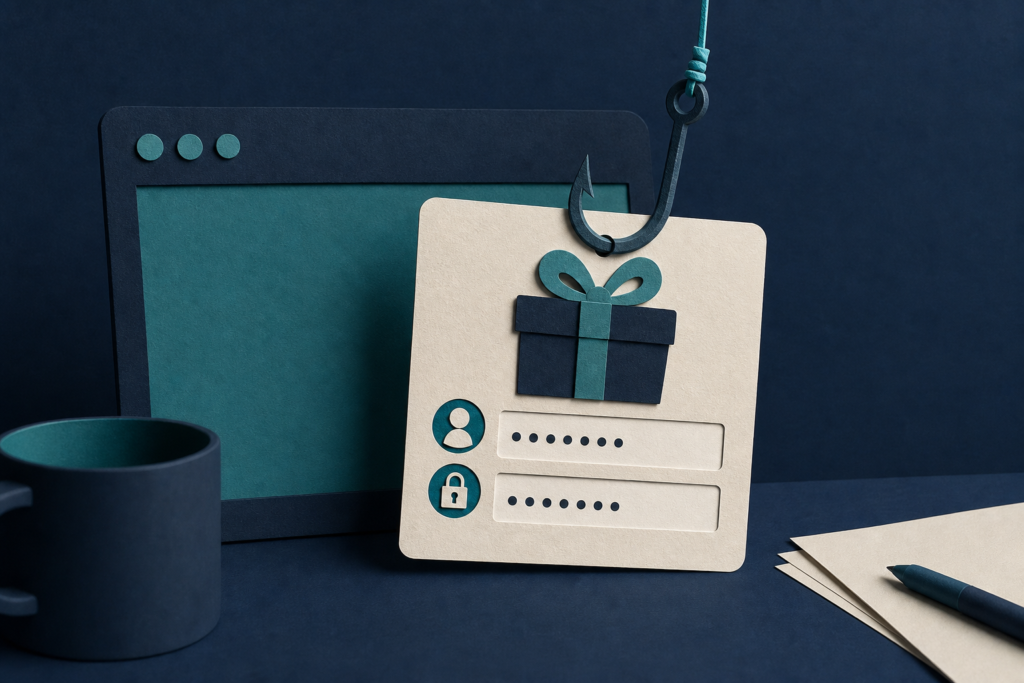
Malwarebytes found a fake free-subscription offer that uses a Google-looking sign-in window to collect login details. Learn how to check the page and respond if you entered a password.
In 60 seconds
- Anyone who sees this free Claude Max offer, especially Google users, should avoid its sign-in button.
- Check the real browser address bar and verify the offer through Anthropic’s own website.
- If you entered a password, change it through Google’s real site and sign out other sessions.
- Do not trust countdowns, padlocks, or sign-in windows drawn inside a webpage.
Who should care and what to do now
This warning applies to anyone who encounters the free Claude Max offer described by Malwarebytes, especially people who use Google to sign in to other services.
Do not use the offer page’s sign-in button. Instead, open Anthropic’s website by typing its address yourself or using a bookmark. Check there for the promotion.
Look at the browser’s actual address bar at the top of the screen. A padlock or Google address shown inside the webpage does not prove that you are on Google.
If you entered your Google password, go to Google’s real website, change the password, sign out of other sessions, and review connected apps and unfamiliar devices. Do not let a countdown or limited-slot claim rush you.
How the fake offer works
Malwarebytes reported finding a page that promised a free one-month Claude Max subscription. The page said Anthropic had passed 100 million users and was giving away 10,000 subscriptions.
The page used familiar logos and colors, five-star reviews, and a counter that appeared to show how many subscriptions remained. Malwarebytes found that the counter was created in the visitor’s browser and reset after a reload. It was not a real count.
The page did not ask for a card number. Instead, it pushed visitors toward a Google sign-in. The Apple option appeared unavailable, while the email field led to the Google button. Those choices directed visitors to the login path built by the scam operator.
The sign-in window is part of the trap
The page uses a technique called a browser-in-the-browser attack. That means a webpage draws an image of another browser window inside itself. The fake window can show a padlock, an address bar, and a Google-looking sign-in page, but the scam page controls all of them.
The real browser address bar stays at the top of the screen and continues to show the offer page’s web address. Try dragging the supposed sign-in window beyond the edge of the webpage. A real separate window can move anywhere on the screen. A fake one stops at the webpage’s edge.
A password manager offers another useful check. It normally looks at the real web address before filling a saved password. If it stays silent when it would usually fill your Google password, do not override that warning.
Why a Google login matters
A Google account may provide access to email, documents, and password-reset messages for other accounts. If you use Google to sign in to Claude, the same stolen login could also provide a route into that account.
Closing the tab does not undo a login. Change the password through Google’s real website, sign out of other sessions, and review connected apps and unfamiliar devices. If you reused that password elsewhere, change it on those services through their real websites too.
Malwarebytes reported this particular giveaway and the methods used on its page. The report does not show that every Claude Max promotion is fraudulent.
Does this affect me?
- Who may be affected
- Anyone who encounters the free Claude Max offer described in the Malwarebytes report, especially people who use Google to sign in to other services.
- How to check
- Look at the real browser address bar, try dragging the sign-in window beyond the webpage, and verify the offer on Anthropic’s own website.
- What to do
- If you entered a Google password, change it through Google’s real website and sign out of other sessions.
- What to avoid
- Do not trust a padlock or address bar drawn inside the page, a countdown, a limited-slot claim, or a sign-in window trapped inside the webpage.
Common questions
How can I tell whether the Google sign-in window is fake?
Check the browser address bar at the very top of the screen. If the sign-in window is inside the webpage, try dragging it beyond the page’s edge. A fake window stops there. Your password manager may also refuse to fill your Google password.
What should I do if I entered my Google password?
Go to Google’s real website without using the offer page, change your password, sign out of other sessions, and review connected apps and unfamiliar devices. Change the password anywhere else you reused it.
Does the countdown prove that the Claude Max offer is limited?
No. Malwarebytes found that the countdown in this campaign was generated in the visitor’s browser and reset after the page was reloaded. It was not a real measure of remaining subscriptions.
Why is a stolen Google account more serious than losing access to one offer?
A Google account can provide access to email, documents, and password-reset messages for other accounts. It may also be used to sign in to services such as Claude.
Primary source
This article is based on Malwarebytes’ report, “Fake Claude Max giveaway hides a Google account phishing trap,” published September 23, 2026: https://www.malwarebytes.com/blog/threat-intel/2026/09/fake-claude-max-giveaway-hides-a-google-account-phishing-trap Read the complete original source.
Get the important updates without the noise
Choose the devices and topics you care about in Cyber Alerts.
Article history: Published Sep 23, 2026 at 9:14 am EDT. Updates and corrections are noted here when material facts change.